Add Decision Logic
Click the (blue) button the the decision’s top-left corner to go to its decision logic. The screen to enter the literal expression replaces the decision requirements diagram.
Add the following formula to define the logic.
`Warehouse stock level` - `Orders` - `Spare parts reserve`At the bottom of the screen, change the Variable Name field to inventory_level and the Variable Type field to number.
These fields determine the name and the data type of the variable that will be returned when executing the decision.
Your configuration should look like this.
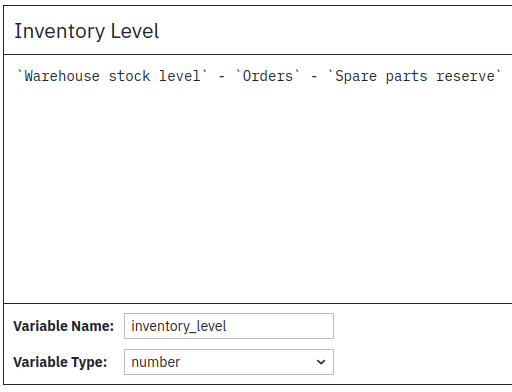
Figure 1. Decision Logic for Inventory Level
Save your model with Ctrl+S or and name the file inventory-level.dmn.